EV Charger Near Me Singapore: Live Map & Availability
How to find the nearest EV charger in Singapore, with live availability, prices and busy times.
Kiat Goh
- To find the nearest electric vehicle (EV) charger in Singapore, open the revolt.sg live charger map and tap "Near me".
- It lists the nearest chargers first, each with how many plugs are available, its speed and its price.
- It also shows some chargers that may not be open to everyone, and labels them, for example "Restricted access" or "Tesla only".
- The cheapest charger open to the public is S$0.43 per kilowatt-hour (kWh), at the Singapore Polytechnic Graduates' Guild on Dover Road.
- This page gives step-by-step help with the map, the cheapest chargers drivers can use, busy times and the DC charging hubs.
As of 16 October 2026, the map covers 2,676 public charging locations, run by 26 operators.
The map runs in a web browser, so there is nothing to install and no account to create.
How to find a charger nearby
The screenshots below were taken for the first version of this guide in July 2026.
The prices and availability in them are not current, and the map always shows the latest.
- Tap "Near me". Allow location access when the phone asks. The chargers nearby are listed nearest first, with the distance, the plugs available and the price on each card.
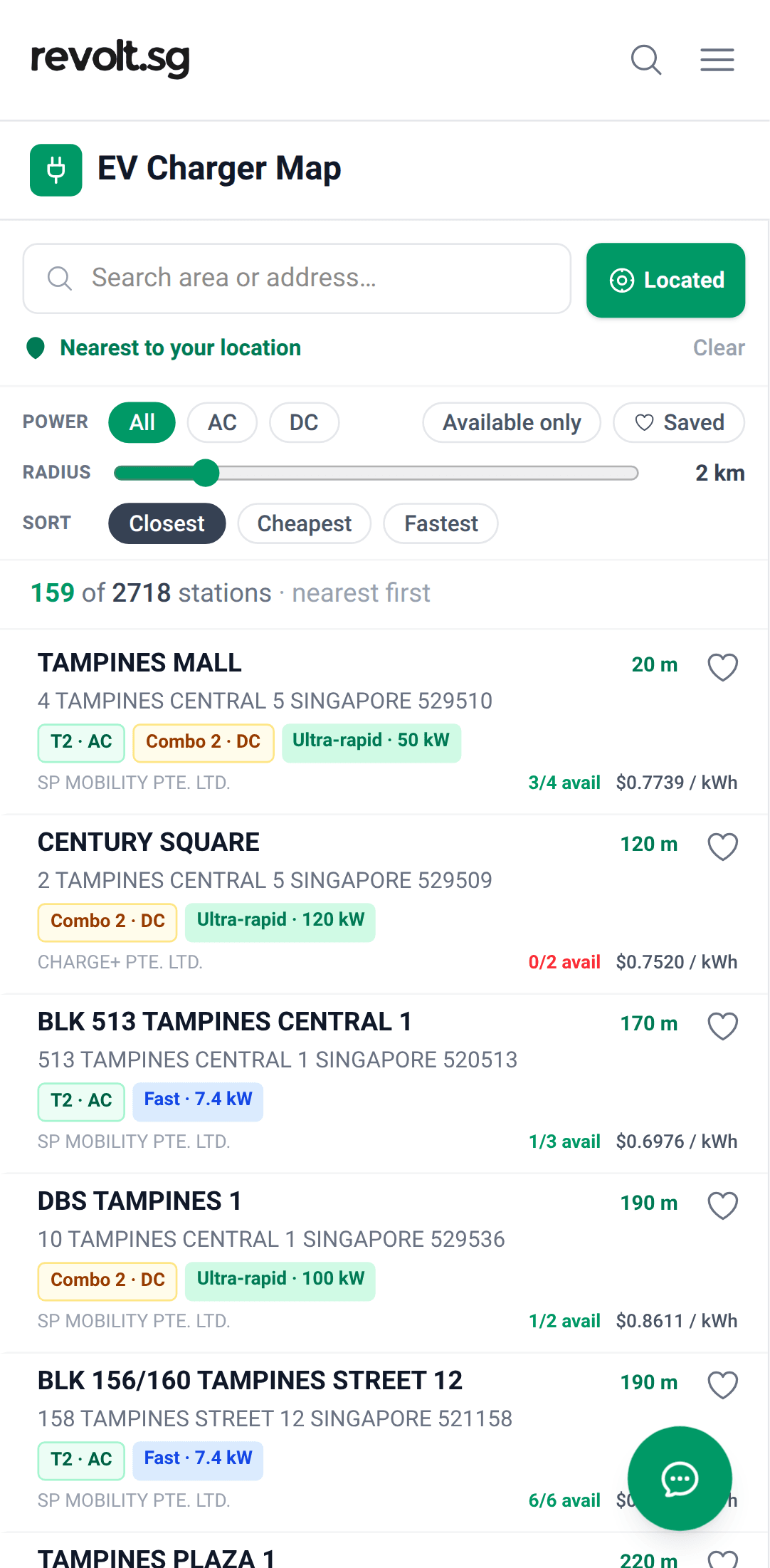
The list starts at the phone's location, nearest first. - Or search for a destination. Type a mall, a building, an address or a postcode into the search bar and pick a suggestion. The list moves there.
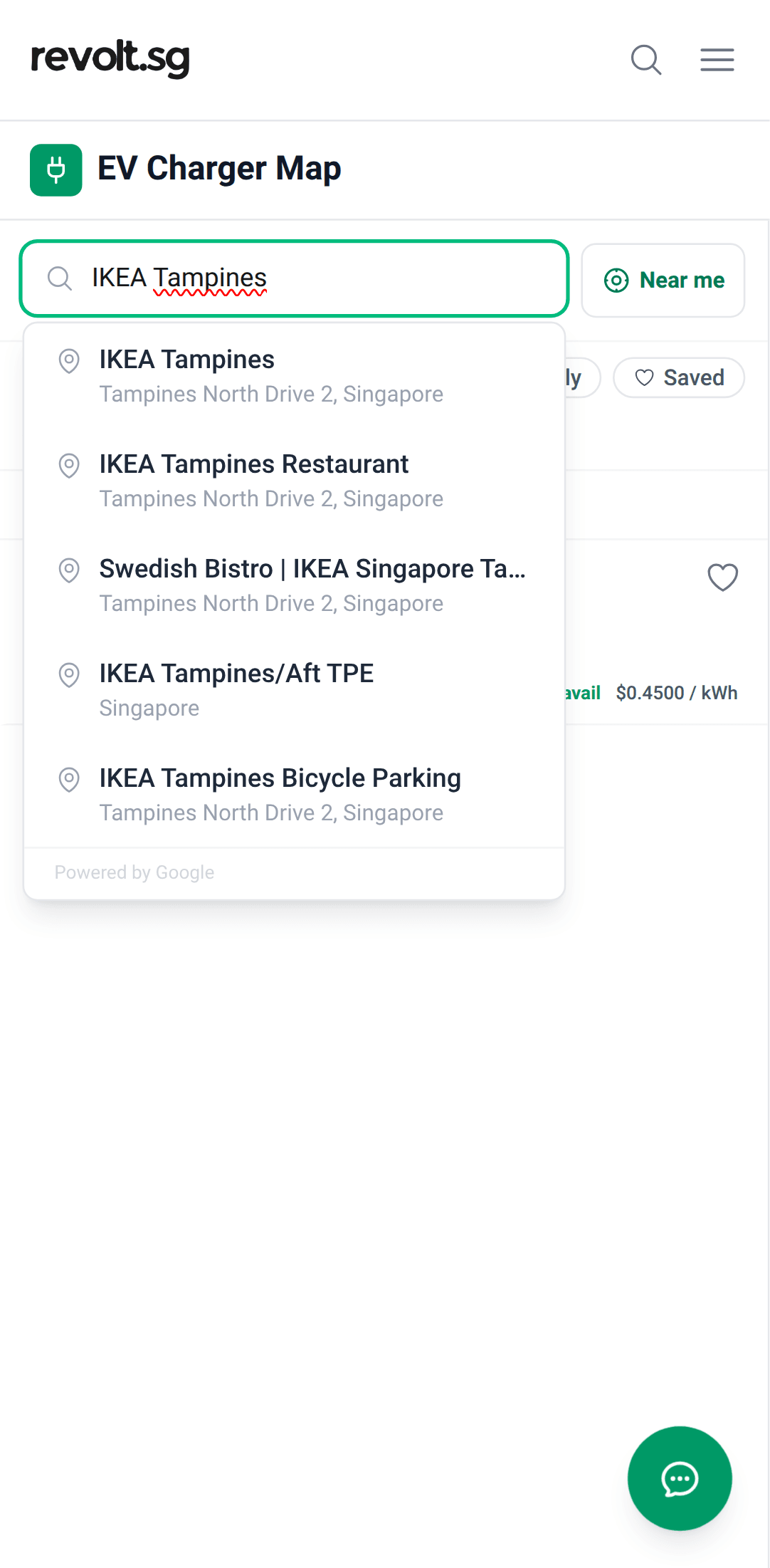
Search by destination, such as IKEA Tampines. - Narrow the list. Under Power, pick DC or AC. Direct-current (DC) chargers are the fast ones, mostly 50kW or more. Alternating-current (AC) chargers are slower, mostly up to 22kW. Turn on "Available only" to hide chargers where every plug is in use. Set the radius anywhere from 0.5km to 10km, and sort by Closest, Cheapest or Fastest.
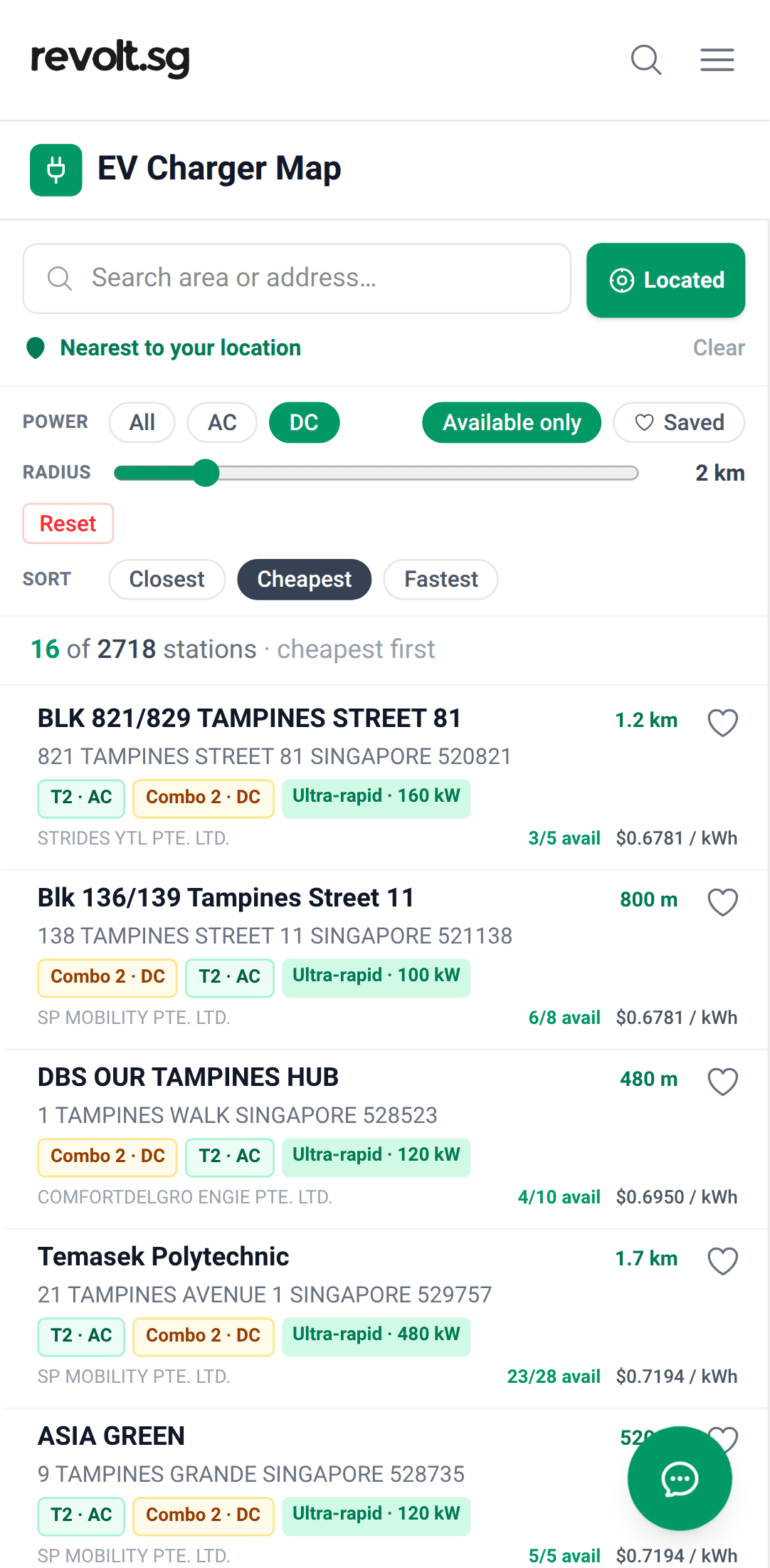
DC only, Available only, cheapest first, within 2km. - Tap a charger before driving there. Its card shows every plug, with its speed, its price and whether it is available right now, plus notes from other drivers. The revolt.sg charger map also shows the parking rate on the card for many car parks. "Get Directions" opens the route in Google Maps.
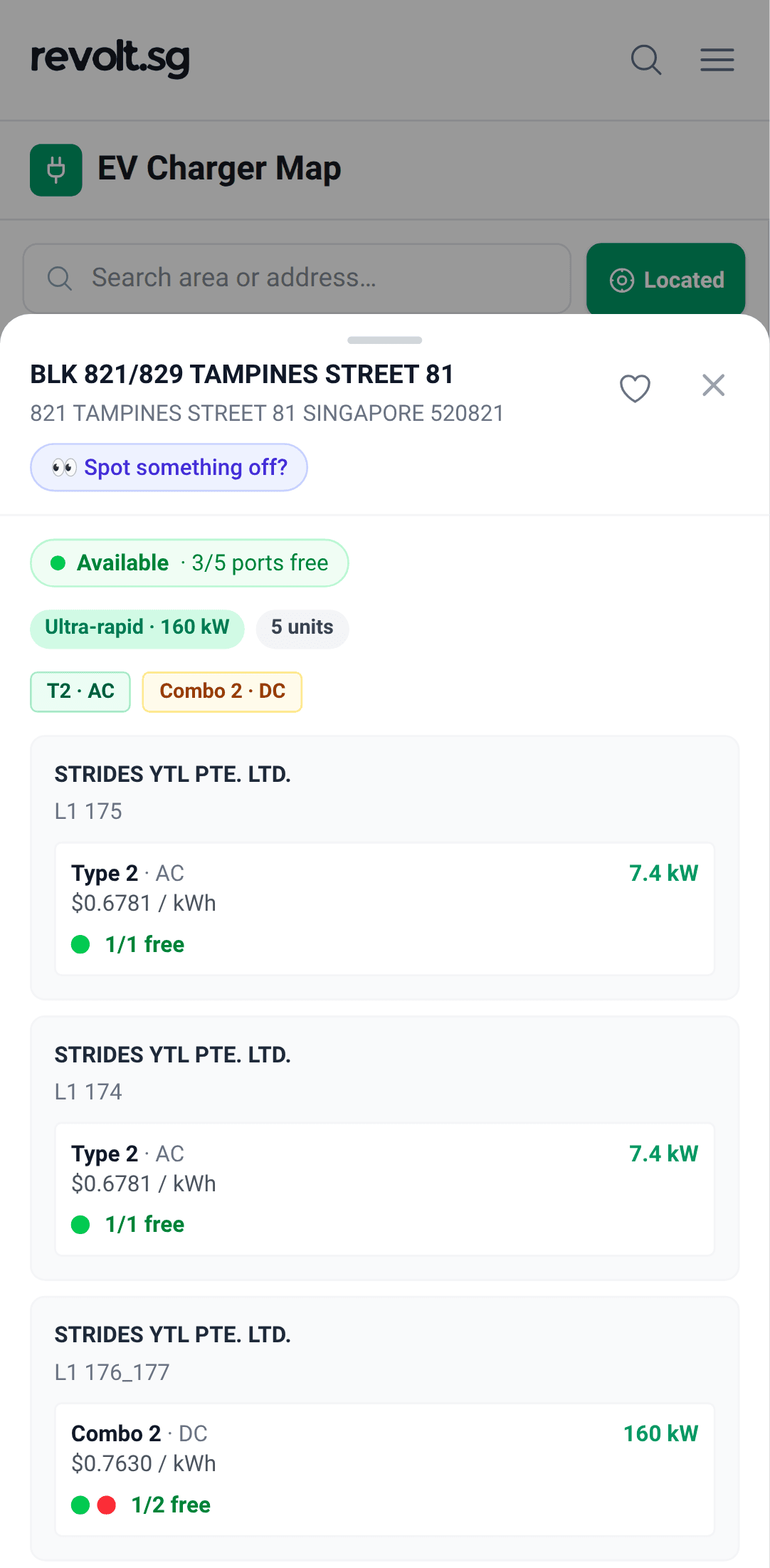
Each plug's speed, price and live status. - Save regular chargers. Tap the heart on any card. The "Saved" chip then shows only the saved chargers. They are kept on the phone, so no account is needed.
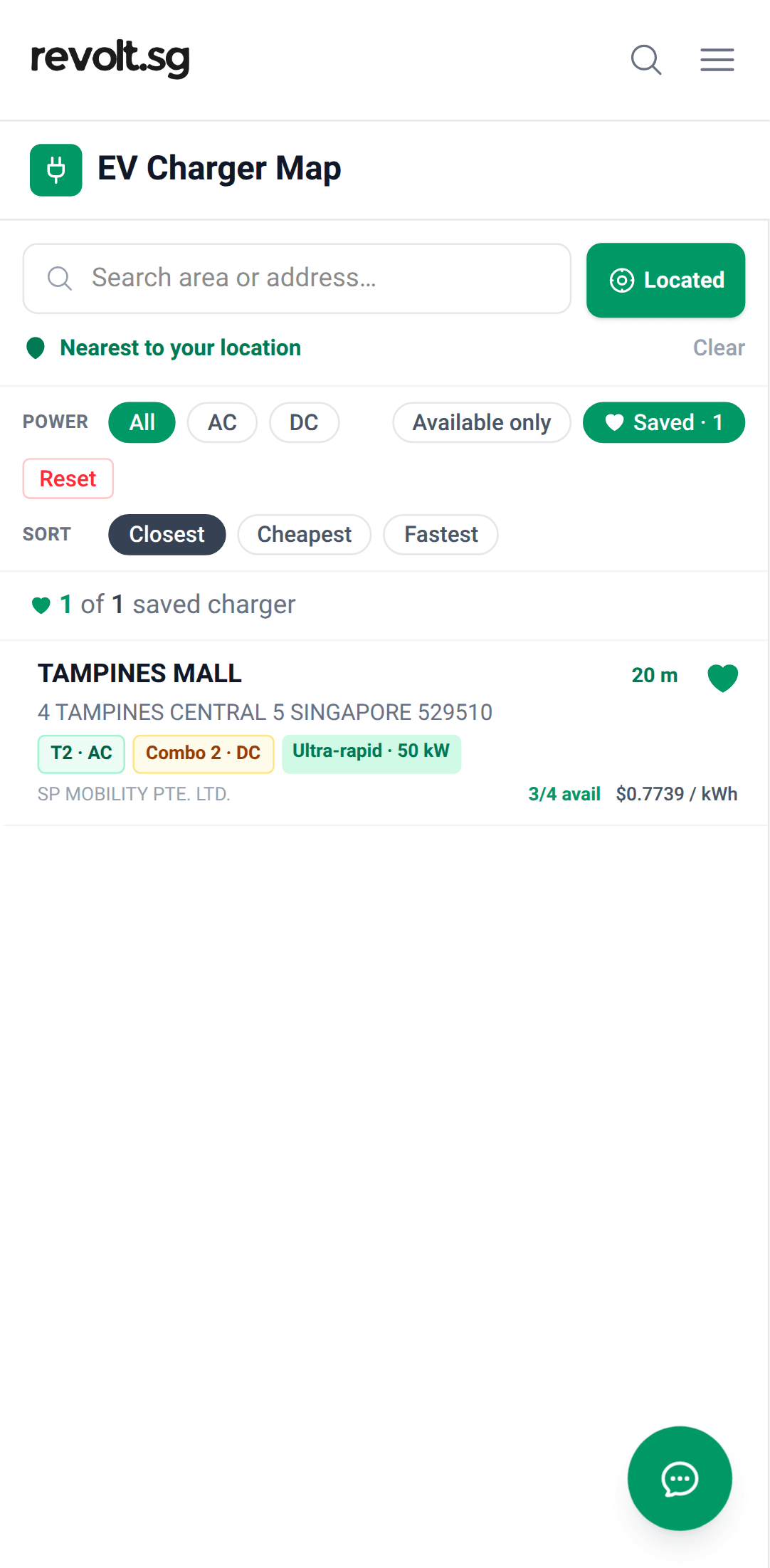
Saved chargers, one tap away.
To open the map like an app, go to revolt.sg/chargers and use the browser's "Add to Home Screen" option.
The cheapest price on the map is not always one drivers can use
As of 16 October 2026, the lowest rate listed for any electric vehicle (EV) charger in Singapore is S$0.34 per kWh, at the Schneider Electric Building on Kallang Avenue, but those chargers are for the staff who work there, not the public.
The revolt.sg charger map marks them "Restricted access".
The cheapest charger confirmed open to the public is S$0.43 per kWh, on a 7.4kW alternating-current (AC) point run by Eneready at the Singapore Polytechnic Graduates' Guild on Dover Road (postal code 139658).
Some of the lowest prices on the map are at chargers that are not open to everyone.
So a driver who sorts the map by Cheapest should check the label on each card before setting off.
The map puts one of four labels on a charger that a driver may not be able to use:
- Restricted access: revolt.sg has confirmed it is not open to the public. The Schneider Electric Building chargers carry this label because they are for staff only.
- Likely restricted: it is probably not open to visitors.
- Possibly restricted: visitor access is not confirmed.
- Tesla only: only Tesla cars can charge there.
A charger with no label has not always been checked.
Where a charger has a label, a driver should check that they are allowed to use it before driving there.
The Singapore Polytechnic Graduates' Guild is at 1010 Dover Road. Its 180kW ultra-fast DC plugs cost S$0.50 per kWh.
The Guild's AC point is slow. At 7.4kW, a useful charge there takes most of an evening.
The Graduates' Guild is a clubhouse. But its car park is open to non-members, who pay for parking on top of the charge.
Non-members pay S$1.20 an hour to park from Monday to Saturday, and there is no parking charge from 7.01am to 10.30pm on Sundays and public holidays.
The Guild's parking charges are also shown on its card in the revolt.sg charger map.
If a card shows no price, check the rate in the operator's app before starting a charge.
Drivers can help keep the map right.
A driver parked at a charger labelled "Likely restricted" or "Possibly restricted" can answer "Is this charger open to public?" on its card.
If a price, a speed or the access looks wrong, a driver can tap "Spot something off?" and say so, or email hello@revolt.sg.
No account is needed.
How busy are chargers?
In every hour and at every speed, at least 75 per cent of public sites had a plug available.
On weekdays, AC sites most often had no plug available overnight, fast DC sites at about 1pm and ultra-fast DC sites at about 5pm.
Some popular sites were much busier.
IKEA Alexandra's three plugs are very tight across the charging hours, from 10am to 10pm, on weekdays and at weekends.
What the ratings mean:
- Freely available: almost always a plug available.
- Moderate: now and then, no plug was available.
- Tight: at times, no plug was available.
- Very tight: often, no plug was available.
| Speed | Sites | Weekdays: worst hour | Weekends: worst hour |
|---|---|---|---|
| AC | About 2,400 | 16 per cent, at about 3am and 4am | About 15 per cent, at about 4am |
| DC under 50kW | About 37 | 16 per cent, at about 11am | About 20 per cent, at about noon |
| Fast DC, 50kW to 150kW | About 460 | 12 per cent, at about 1pm | About 10 per cent, at about 3pm |
| Ultra-fast DC, above 150kW | About 43 | 24 per cent, at about 5pm | About 25 per cent, at about 4pm |
On weekdays, 39 per cent of AC plugs were in use at about 3am, and 35 per cent of ultra-fast DC plugs at about 1pm.
On weekdays at about 8am, no plug was available at 3 per cent of AC sites, and from 9am to 6pm at about 5 per cent or fewer.
To see which chargers nearby have a plug available right now, turn on "Available only" on the map.
Venue pages give busy times, prices and parking for IKEA Tampines, IKEA Alexandra, Great World City, VivoCity, Suntec City, Pasir Ris Mall and Jewel Changi Airport.
The revolt.sg charger map shows parking charges for many car parks.
DC charging hubs (180kW and 480kW)
To see only DC chargers nearby, pick DC under Power on the map.
Great Charge runs large DC hubs at two malls, Great World City and Pasir Ris Mall.
| Hub | Address and parking | Great Charge's DC plugs | DC rate per kWh | Open to the public? |
|---|---|---|---|---|
| Great World City | 1 Kim Seng Promenade, Singapore 237994. Office car park, B3 and B3A. | 24 at 480kW and four at 180kW | S$0.60 | Yes. It is a public mall car park. Drivers pay for parking on top. The revolt.sg charger map shows Great World's parking charges too. |
| Pasir Ris Mall | 7 Pasir Ris Central, Singapore 519612. B2 car park, Blue Zone. | 20 at 180kW | S$0.60 | Yes. It is a public mall car park. Drivers pay for parking on top. The revolt.sg charger map shows Pasir Ris Mall's parking charges too. |
At both hubs, Great Charge's DC plugs are freely available at all hours, on weekdays and at weekends.
Drivers can charge and pay in the Great Rewards app or at the payment machine on site.
The map shows the latest price and how many plugs are available.
Suntec City and VivoCity also have DC chargers, run by other operators.
For a DC charger anywhere else, pick DC on the map and sort by Closest.
For the cheapest public DC chargers in each part of the island, see the Singapore EV Charging Price Index.
More from revolt.sg
- EV charging stations in Singapore. The live map, with the price, the speed and the plugs available at each charger.
- Singapore EV Charging Price Index. The lowest listed rates, and the cheapest you can use.
- Public EV Charging in Singapore: How to Charge, Apps and Idle Fees. How to start a charge, which app to use, and idle fees.
- How Much Does It Cost to Charge an EV in Singapore? Home, public and petrol compared.
Corrections can be sent through the report button on the charger map or to hello@revolt.sg.
Prices checked . Sources: LTA, revolt.sg, and crowd sourced from revolt.sg users.
Stay Charged Up
Get the latest EV news, reviews, and analysis delivered to your inbox every week.